
Cancellation
What you can cancel depends on whether the order is paid.
Cancel an unpaid order
- Open Account > Billing.
- Click the order (status Pending) to open it.
- Under the Pay button, click Cancel this order.
- In Cancel this order?, click Cancel order to confirm, or Keep order to go back.
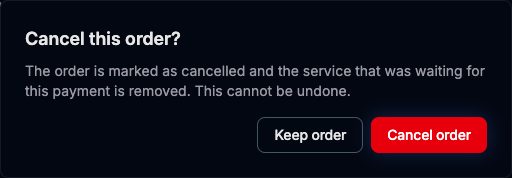
What happens:
- The order changes to Cancelled and is never charged.
- If it was the order of a new service, that service is removed, because it was never set up.
- If it was a renewal order, your service keeps running until its expiry date. Cancelling the renewal does not stop the service early, but if you do not pay a renewal in time the service is suspended and then terminated. See Renewals.
- If you used a discount code, the use is given back.
Cancelling cannot be undone. To get the service again, deploy it again.
Unpaid orders for new services
An order for a new service that is still unpaid 48 hours after it was created is cancelled automatically, exactly as if you had clicked Cancel this order. Renewal orders are not cancelled this way.
Stop a service you already paid for
There is no cancel button for an active service, and services never renew on their own. To stop one:
- Do not pay its next renewal order. You can cancel that order when it appears in Account > Billing.
- The service keeps working until its expiry date. Move anything you want to keep before then.
- On the expiry date it is suspended, and 3 days later it is terminated and its data deleted.
If you want a service stopped before its expiry date, open a ticket from Tickets > Create new ticket with the category Billing. Include the name of the service.
ℹ
Refunds
Stopping a service early does not refund the rest of the period by itself. To ask for a refund, see [Refunds](/en/billing/payments/refunds).
Summary
| Situation | What to do | Result |
|---|---|---|
| Unpaid order for a new service | Cancel this order | Order cancelled, service removed, nothing charged |
| Unpaid renewal order | Cancel this order | Order cancelled, service runs until expiry |
| Unpaid for 48 hours (new service) | Nothing | Cancelled automatically |
| Active service you no longer need | Do not pay the renewal | Suspended at expiry, terminated 3 days later |
| Stop before expiry or ask for money back | Open a Billing ticket | Reviewed by the support team |