
Subusers
A subuser is another PlaySafe user you give access to your server, for example a moderator or a co-admin. You choose exactly what they can do, and they never see your billing. Open the tab from Hosting > Game Servers > your server > Subusers.
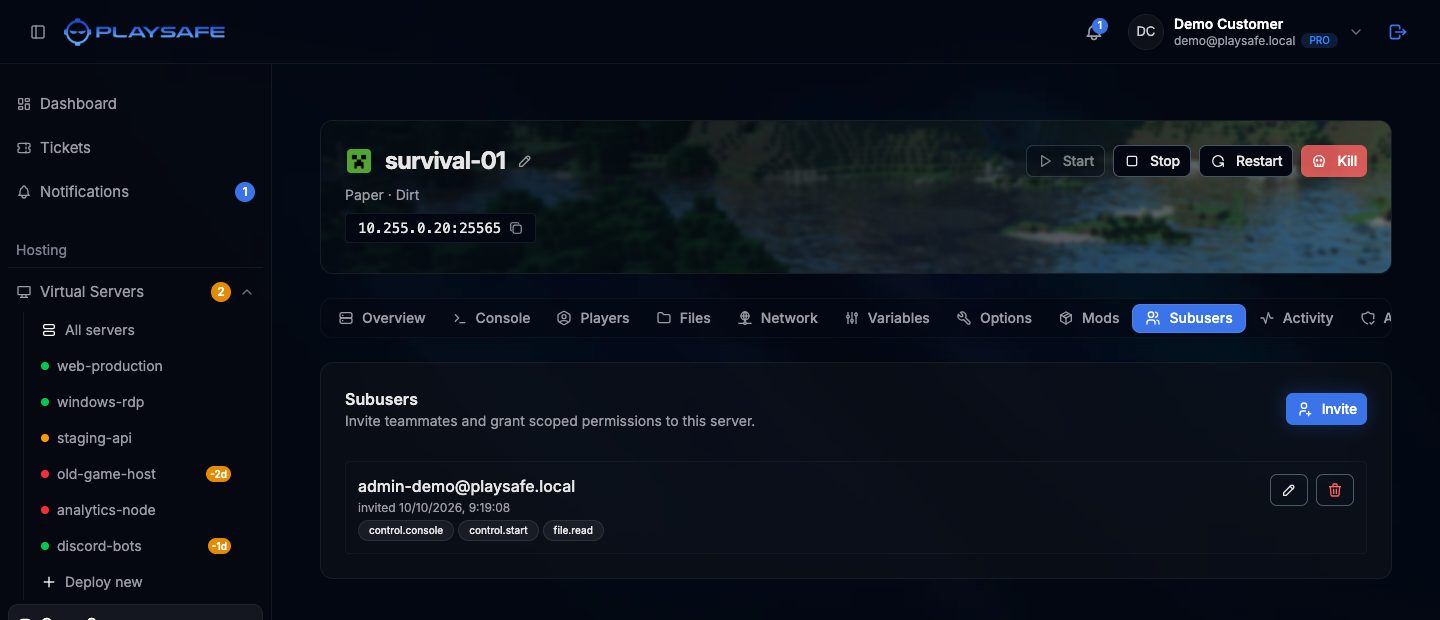
Invite a subuser
- Ask the person to create a PlaySafe account first. You can only invite an email that already has an account.
- Click Invite.
- Type their Email.
- Tick the Permissions they need (see the table below).
files.readandcontrol.consoleare ticked by default. At least one is required. - Click Invite.
The server then appears for them in Hosting > Game Servers > All servers, under Shared With Me, with Shared by and your name.
You need a verified email to invite subusers, and each plan has a maximum number of subusers per server. You cannot invite yourself or someone who is already a subuser.
Permissions
The invite and edit windows group the permissions like this:
| Group | Permission | Lets the subuser |
|---|---|---|
| Control | control.console | Open the Console and send commands |
| Control | control.start | Use Start |
| Control | control.stop | Use Stop and Kill |
| Control | control.restart | Use Restart |
| Files | files.read | List folders in Files and log in over SFTP |
| Files | files.read-content | Open files |
| Files | files.create | Upload files and create folders |
| Files | files.update | Save and rename files |
| Files | files.delete | Delete files |
| Files | files.archive | Compress and extract archives |
| Allocations | allocations.read | See the Network tab |
| Allocations | allocations.create | Add allocations |
| Allocations | allocations.update | Change the primary allocation |
| Allocations | allocations.delete | Release allocations |
| Startup | startup.read | See the Variables |
| Startup | startup.update | Change the variables |
| Activity | activity.read | See the Activity log |
Some things are always reserved to the owner: managing subusers, renaming, reinstalling and cancelling the server. Backups are not in the list either, so subusers cannot use the Backups tab. A subuser who opens a tab they have no permission for sees an error instead of the content.
Change permissions
- Click the pencil next to the subuser.
- Tick or untick permissions in Edit permissions. At least one must stay ticked.
- Click Save. The change applies straight away.
Remove a subuser
- Click the trash button next to the subuser.
- Confirm with Remove. They lose all access to the server at once.