
Introduction to Game Servers
A PlaySafe game server is a ready-to-run server for a supported game. You pick a game, a plan and a server type, pay the order, and a few minutes later the server has an address (IP and port) your players can join. Everything else, from the console to backups, is managed from the panel.
Supported games
The deploy page offers these games:
| Game | Server types |
|---|---|
| Minecraft | Vanilla, Paper, Purpur, Purpur + GeyserMC, Fabric, Forge, and the Velocity and Waterfall proxies |
| Counter-Strike 2 | Valve dedicated server |
| Rust | Vanilla, or modded with Carbon |
| Hytale | Hytale server, marked as coming soon on the deploy page |
The exact list of server types depends on the plan you choose. A game that has no plans yet shows a Coming soon badge and cannot be selected.
Where to find your servers
Open Hosting > Game Servers > All servers in the sidebar. Each of your servers is also listed under Game Servers in the sidebar, so you can jump straight to it, and Deploy new opens the deploy page.
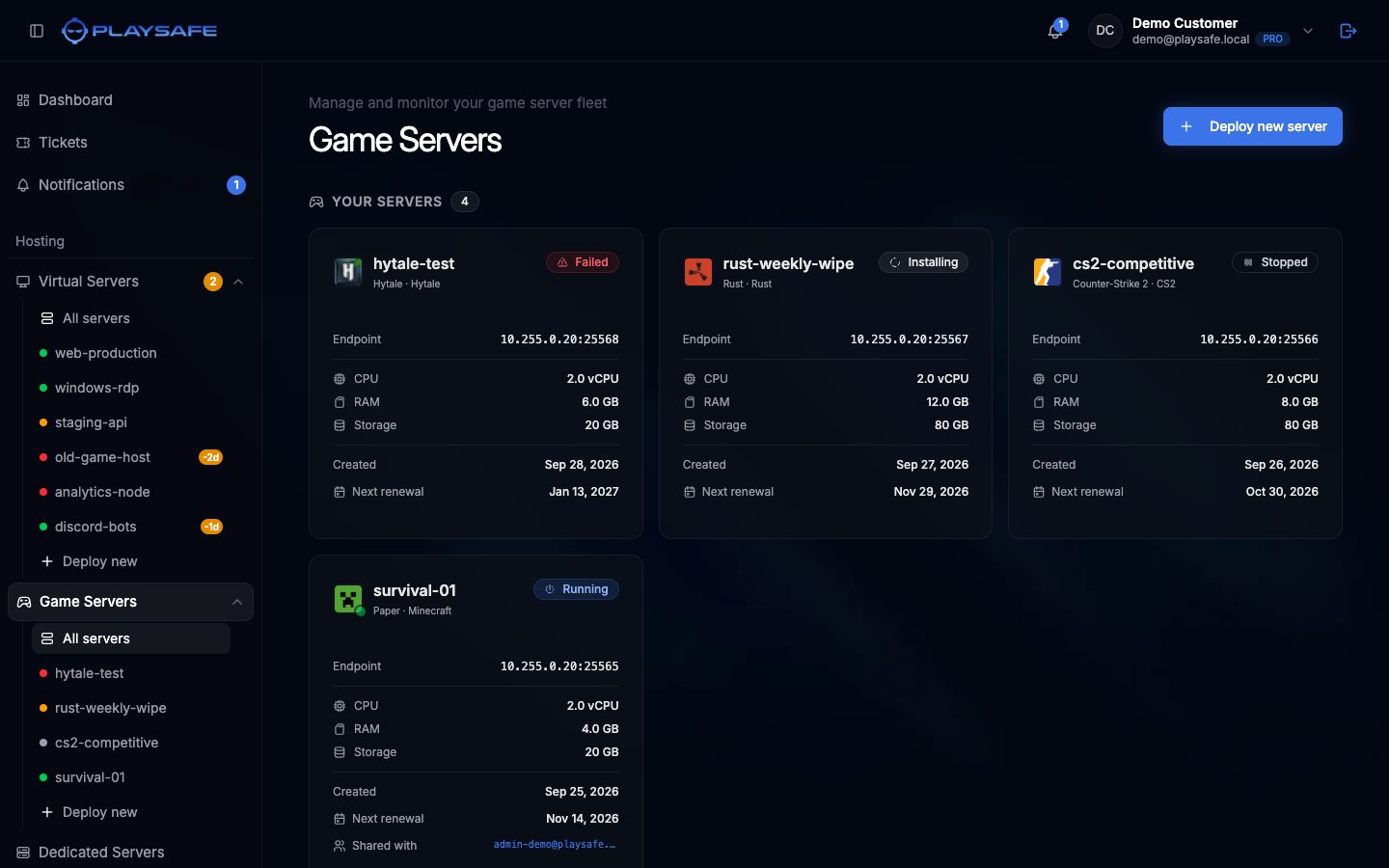
The Your Servers section shows one card per server with:
- The game icon, the server name and the server type (for example
Paper · Minecraft). - A status badge: Running, Stopped, Pending, Installing, Starting, Stopping, Restarting, Suspended, Failed or Crashed.
- The Endpoint (
IP:Port) players use to connect, or “Not assigned” while the server is being set up. - CPU, RAM and Storage from your plan.
- Created and Next renewal dates. The renewal date turns amber in the last 7 days and red once it has passed.
- Shared with: the emails of the people you invited as subusers, if any.
Click a card to open the server. If you have no servers yet, the page shows a Deploy server button instead.
Shared With Me
If someone invited you as a subuser on their server, it appears in a second section called Shared With Me. Those cards show Shared by with the owner’s name. What you can do on a shared server depends on the permissions the owner gave you, see Subusers.
Renewals
Game servers are billed monthly. Seven days before the Next renewal date a renewal order is created and emailed to you; you pay it from Account > Billing. If the renewal is not paid by that date the server is suspended, and three days later it is deleted.