
Variables
The Variables tab holds the startup settings of your server: values the server reads every time it starts, such as the Minecraft version, the default Counter-Strike 2 map or the maximum number of players. The list depends on the server type you deployed.
Open it from Hosting > Game Servers > your server > Variables.
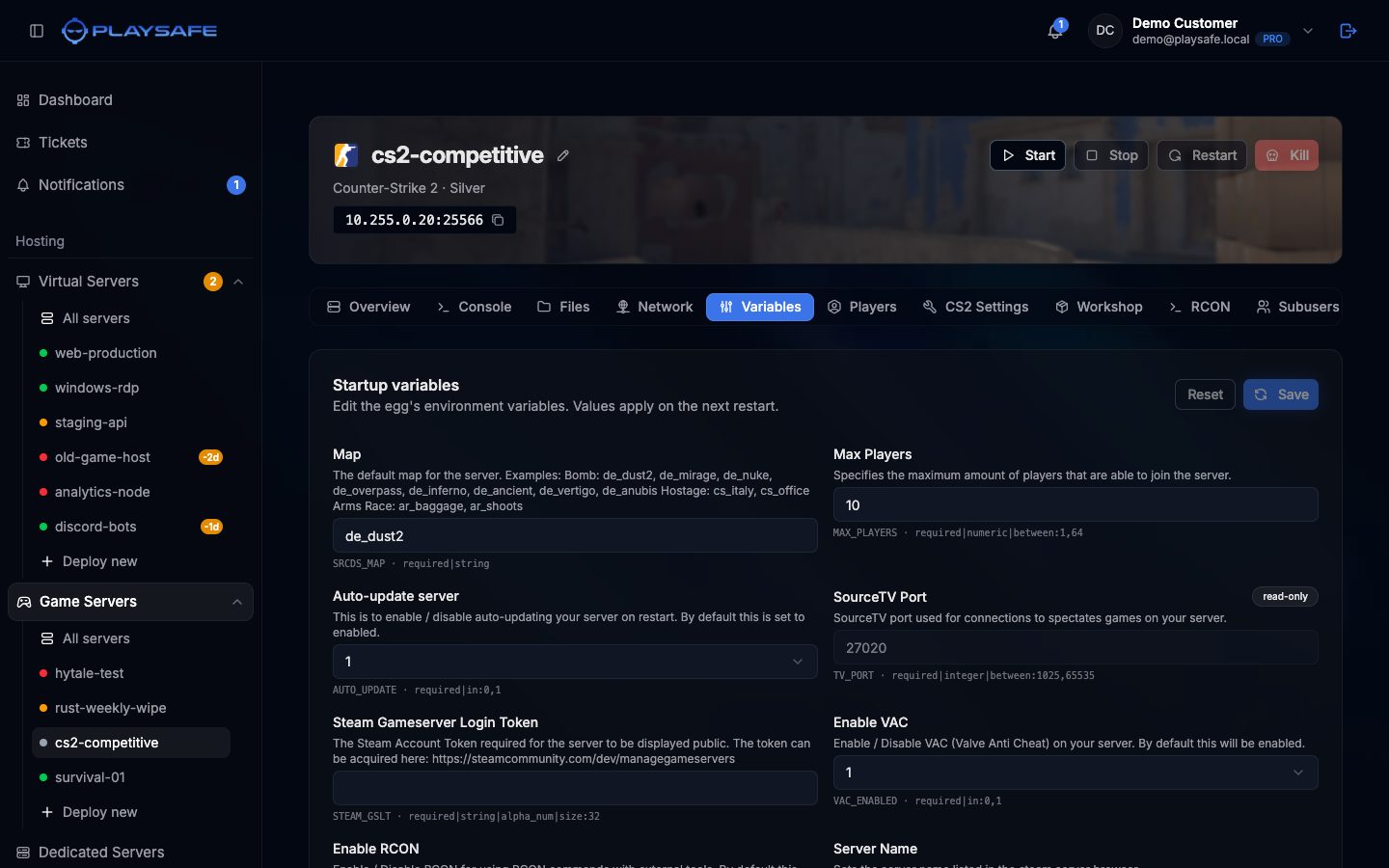
Reading a variable
Each variable shows:
- Its name and a short description.
- The input: a text box, or a drop-down when only some values are allowed (for example
0or1). On Paper servers, Minecraft Version and Build Number offer a list of releases; if the list cannot be loaded you can type the value instead. - A small grey line with the variable key and its rules, for example
MAX_PLAYERS · required|numeric|between:1,64. The rules tell you what is accepted:requiredmeans it cannot be empty,between:1,64sets the range,max:20the maximum length. - A read-only badge on variables you cannot change. Those are fixed for your server type.
Change a variable
- Edit one or more values. A yellow note reminds you that you have unsaved changes.
- Click Save. If a value breaks a rule, an error tells you which one and nothing is saved.
- When the values are saved, a green note says “Variables saved. Restart the server now to apply.” Click Restart now there, or restart later with the Restart button in the header.
Reset throws away the changes you have not saved yet.
ℹ
Changes apply on the next start
Saving only stores the new values. The server keeps running with the old ones until it restarts. Values used when the game is installed, such as the Minecraft version to download, need a [reinstall](/en/game-servers/panel/settings) to take effect.
Permissions for subusers
startup.read to see the variables and startup.update to change them. See Subusers.