
Renewals
Each payment keeps a service running for 30 days. To keep it running after that, you pay a renewal order. Renewals are never charged to your card automatically: you always pay them yourself.
Where to see the renewal date
- Virtual servers: Next renewal on each card of Hosting > Virtual Servers > All servers, and in the Details box of the server.
- Game servers: Next renewal on each card of Hosting > Game Servers > All servers.
- Game protection: the Renews column of Security > Game protection > All protections, and Renews on the protection’s page.
- Dashboard: Next renewal shows your closest renewal date when you have nothing left to pay.
Edge firewalls renew together with their virtual server, so they have no renewal of their own.
The renewal timeline
| When | What happens |
|---|---|
| 7 days before expiry | PlaySafe creates a renewal order and emails it to you. It appears in Account > Billing with “(Renewal)” in its name. |
| 5 days before expiry | Virtual servers and game protections show a warning on the dashboard and a badge in the sidebar. |
| 1 day before expiry | You get a reminder email. |
| Expiry day, unpaid | The service is suspended: a virtual server is stopped and its edge firewall suspended, a game server is stopped and locked, a game protection is suspended. Virtual servers and game protections also send you a notification. |
| 3 days after expiry, still unpaid | The service is terminated. A virtual server is deleted with its data and its IP is released. A game server is deleted with its files. A game protection is deactivated and its unpaid renewal order is cancelled. |
!
Termination cannot be undone
A terminated virtual server or game server cannot be restored, and its data is gone. Pay the renewal within the 3 days after expiry if you want to keep the service.
How to renew
Pay the renewal order
- Open Account > Billing.
- In Outstanding balance, click Pay now next to the renewal order.
- Pay on the Stripe checkout.
Renew early from the service page
- Virtual server: open the server and click Renew at the top. The button is amber when the renewal is close and red when the server has expired. It creates the renewal order and takes you to it.
- Game protection: open the protection and click Renew at the top.
- Game servers have no Renew button. Pay the renewal order that appears in Account > Billing 7 days before expiry.
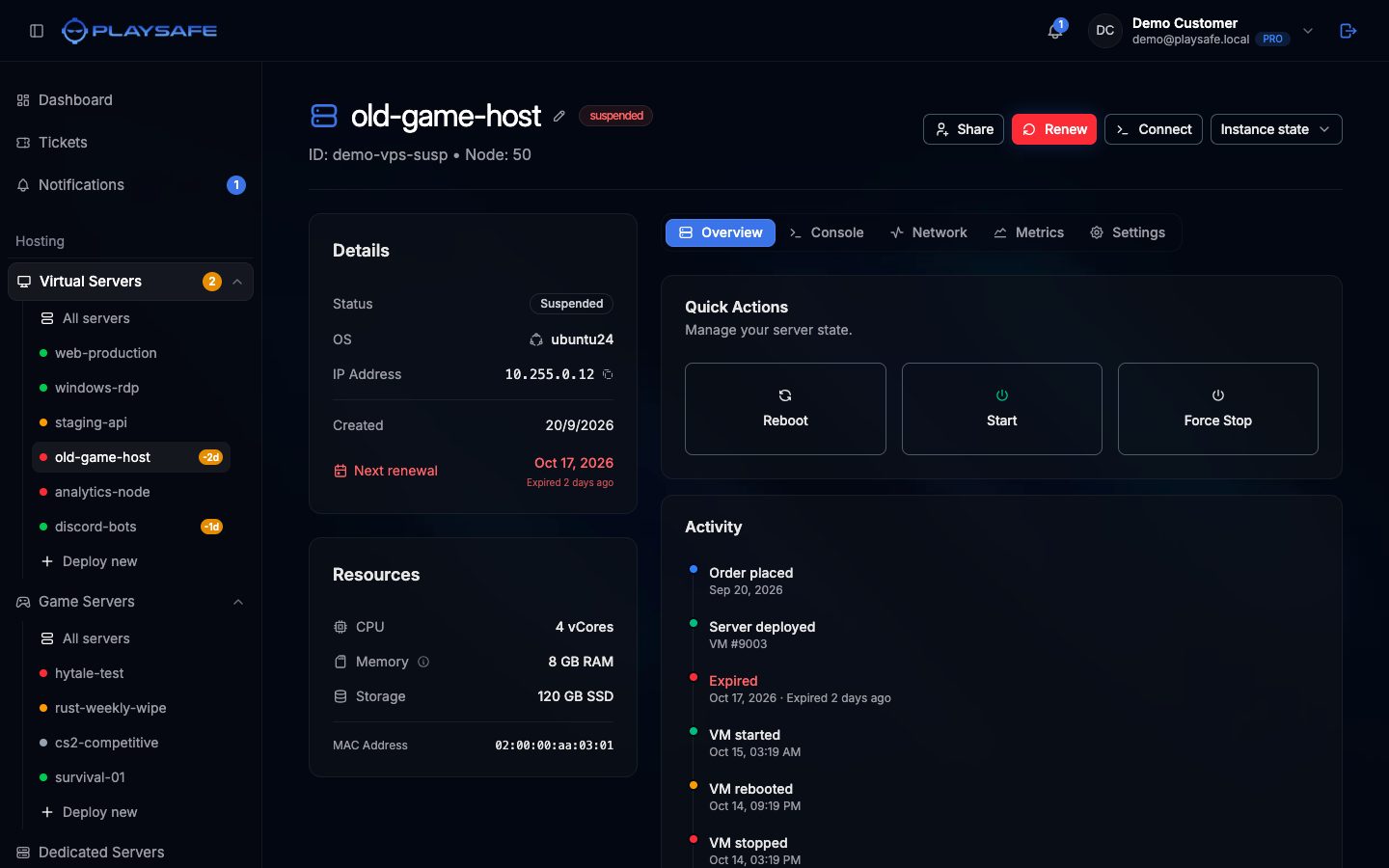
If a renewal order already exists for the service, Renew does not create a second one: pay the existing one in Account > Billing.
Only the owner of a service can renew it. If a service is shared with you, ask the owner.
What a renewal payment does
- It adds 30 days to the service, counted from the current expiry date, so renewing early does not shorten anything. For a game server that already expired, the 30 days count from the payment.
- A suspended service is reactivated: a stopped virtual server is started again.
- You get a confirmation email.