
Activity
The Activity tab is the log of actions taken on your server: power actions, file changes, allocation and variable changes, subuser changes, backups and more. Each entry says who did it, from which IP address and when. Open it from Hosting > Game Servers > your server > Activity.
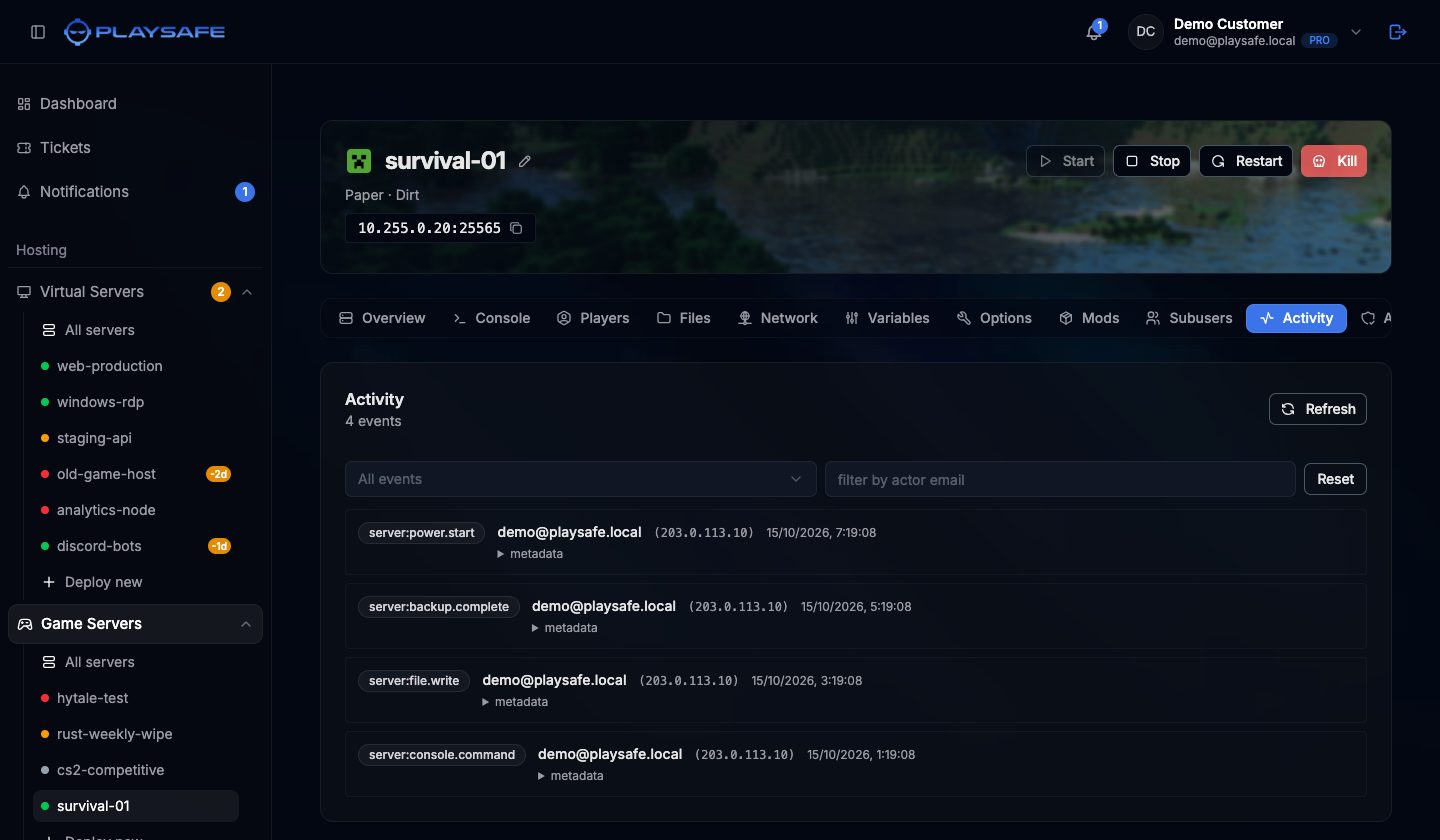
Reading an entry
- A coloured badge with the event name, for example
server.power.start,files.write,allocations.create,startup.updateorsubusers.invite. - The actor: the email of the person who did it, or
systemfor actions taken by the platform. - The IP address it came from, and how long ago it happened (or the full date for older entries).
- metadata: click it to see the details of the action, such as the file name or the port.
The total number of events is shown under the Activity title. Events are listed newest first, 25 per page; use Prev and Next to move between pages, and Refresh to load new events.
Filtering
- The first drop-down narrows the list to a group of events: Server, Files, Subusers, Allocations, Variables or Console / control.
- The filter by actor email box shows only the events of one person.
- Reset clears both filters.
Filters apply to the page you are viewing, so move through the pages to look further back.
Who can see it
The owner always can. Subusers need the activity.read permission. See Subusers.