
VPS Hosting Overview
A PlaySafe VPS (virtual private server) is your own virtual machine with dedicated vCPU, RAM and NVMe storage, a public IPv4 address and DDoS protection included in every plan. You get full administrator access to the operating system, so you can run game servers, bots, websites or anything else.
Where to find your servers
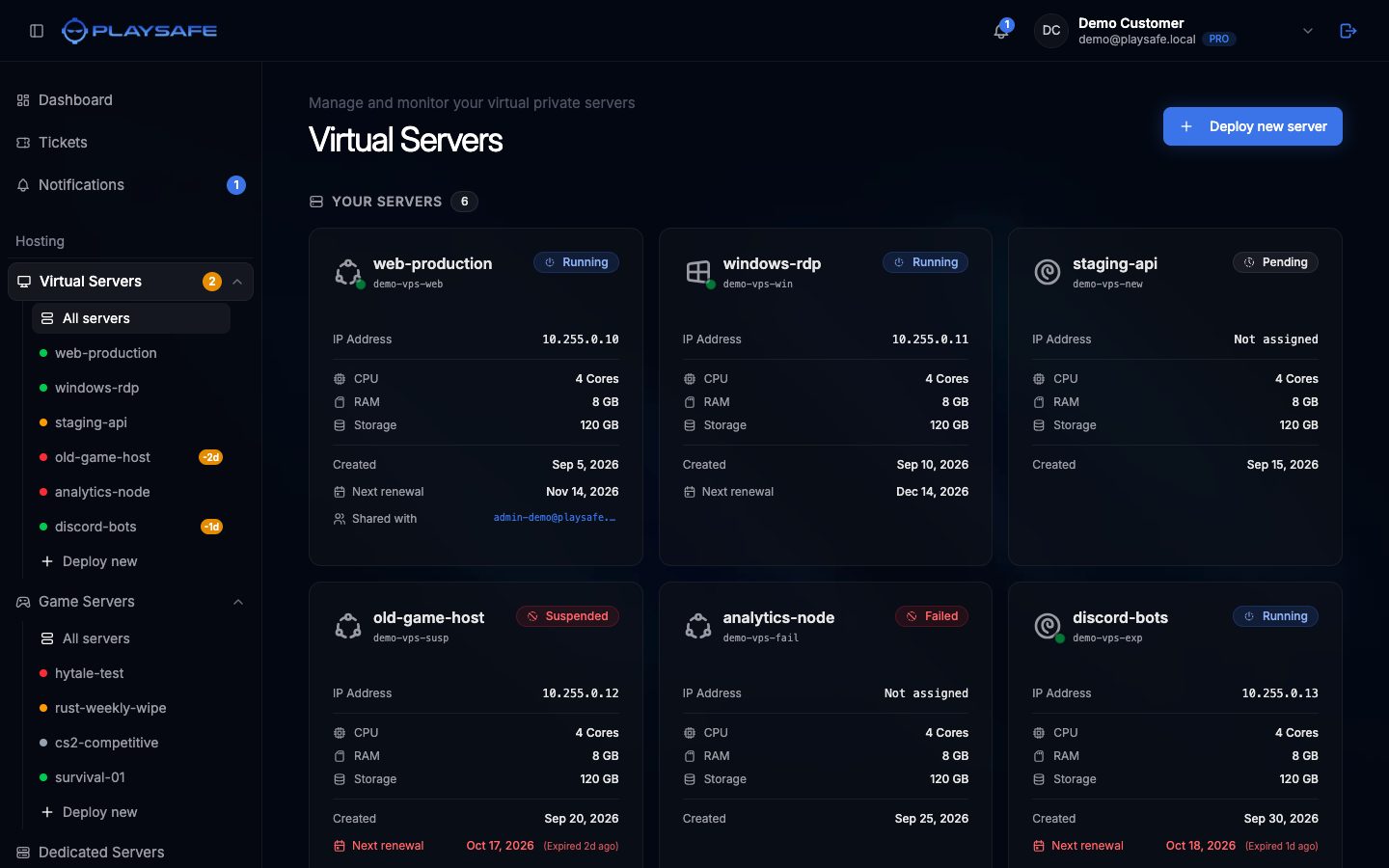
In the panel sidebar, open Hosting > Virtual Servers:
- All servers opens the list of every VPS you own, plus the ones other users shared with you.
- Each server is listed by name under it, with a coloured dot for its state.
- Deploy new opens the order wizard.
What every VPS includes
| Included | Details |
|---|---|
| Public IPv4 | One address per server, shown in the panel and kept when you reinstall |
| DDoS protection | Included in every plan |
| Edge firewall | Created automatically for each server, rules managed from the Network tab |
| Administrator access | root on Linux, Administrator on Windows Server |
| Operating systems | Ubuntu 24.04 LTS, Ubuntu 25.04, Debian 12 or Windows Server 2022 |
When the server is ready you receive an email titled Your Virtual Server is Ready with the IP address, username and password.
What you can do from the panel
Open a server from Hosting > Virtual Servers to reach its detail page. From there you can:
- Start, reboot and force stop the server.
- Watch live CPU, RAM and network usage in the Metrics tab.
- Download a Remote Desktop file for Windows servers from the Console tab.
- Add edge firewall rules in the Network tab.
- Change the password of a user on the server, or reinstall the operating system, in the Settings tab.
- Rename the server, share it with other PlaySafe users and renew it.
ℹ
Not in the panel today
The panel has no backups, snapshots, plan changes, reverse DNS or in-browser console. The pages in this section explain how to handle each of them.